
Microsoft Copilot AI

Microsoft Copilot AI Interface
Table of Contents
- What is Microsoft Copilot AI?
- Features of Microsoft Copilot
- Microsoft Copilot vs. GitHub Copilot
- How to Use Microsoft Copilot AI
- GitHub Copilot Pricing
- Copilot App and Integration
- Copilot Image Generator
- Future of Microsoft Copilot AI

GitHub Copilot in Action – A developer using GitHub Copilot inside Visual Studio Code
What is Microsoft Copilot AI?
Microsoft Copilot AI is an AI-powered assistant designed to help users with various tasks. Whether you’re a developer using GitHub Copilot or a business professional using Copilot in Office apps, this tool is built to improve productivity.
It integrates with Windows, Bing, and other Microsoft products to help users with coding, writing, searching, and managing tasks efficiently.
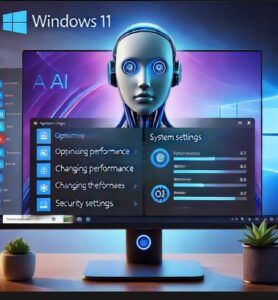
Windows Copilot Feature – A Windows 11 desktop with Copilot AI assisting in settings
Features of Microsoft Copilot
Microsoft Copilot comes with useful features such as:
- AI Assistance: Provides smart suggestions and automated responses.
- Code Help: GitHub Copilot offers coding suggestions for developers.
- Seamless Integration: Works with Microsoft Office, Windows, and Bing.
- Time-Saving: Automates repetitive tasks.
- Creative Tools: The Copilot Image Generator creates images from text descriptions.
- AI Chatbot: Get instant answers to queries with Copilot Chat.
- Windows Copilot: Built directly into Windows for enhanced AI-powered assistance.
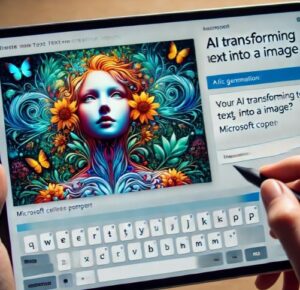
Copilot Image Generator – AI transforming text into an image with creative results
Microsoft Copilot vs. GitHub Copilot
Both Microsoft Copilot and GitHub Copilot use AI but serve different purposes:
- Microsoft Copilot is for general productivity in Windows, Office, and Bing.
- GitHub Copilot helps developers by suggesting code in real time.
- Copilot Chat allows users to interact with AI for assistance.
- Windows Copilot integrates AI into Windows for better user experience.
How to Use Microsoft Copilot AI
Using Microsoft Copilot is simple:
- For Windows: Open Windows Copilot from the taskbar.
- For Office Apps: Use Copilot in Microsoft Word, Excel, and Outlook.
- For Bing: Get AI-powered search results and chatbot responses.
- For Developers: Install GitHub Copilot in Visual Studio Code for coding suggestions.
- For Content Creation: Use Copilot Image Generator for AI-generated visuals.
- For Research: Get summaries and insights instantly with AI-powered assistance.
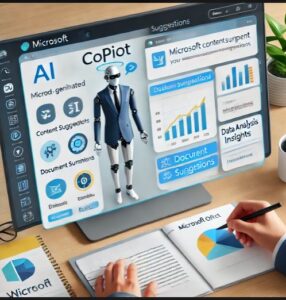
Copilot in Microsoft Office – Copilot helping a user write a report in Word or Excel
GitHub Copilot Pricing
GitHub Copilot offers different pricing plans:
- Free Trial: Limited access to AI features.
- Individual Plan: $10 per month.
- Enterprise Plan: Custom pricing for businesses.
GitHub Copilot works with Visual Studio Code, JetBrains, and other coding environments.
Copilot App and Integration
Microsoft Copilot is available on multiple platforms:
- Windows Copilot: Built into Windows 11.
- Microsoft Copilot AI: Integrated with Office 365 apps.
- Copilot App: Available on desktop and mobile.
- Copilot Login: Requires a Microsoft or GitHub account.
- Copilot for Businesses: Helps teams collaborate and streamline workflows.

Copilot+ PCs – A modern laptop with Microsoft Copilot AI running on the screen.
Copilot Image Generator
Microsoft Copilot AI includes an image generator that creates visuals from text prompts. This feature is useful for designers, content creators, and marketers who need quick, AI-generated images.
- AI-Generated Images: Turn text descriptions into high-quality visuals.
- Easy Integration: Works within Bing Image Creator and Microsoft apps.
- Time-Saving: No need for complex design tools.
Future of Microsoft Copilot AI
AI is constantly evolving, and Microsoft Copilot is leading the way. New developments like Copilot+ PCs from Dell are making computing more efficient with AI-powered features.
Microsoft is also working on improving AI integration with security features, real-time assistance, and more natural language processing to make Copilot even smarter.
Whether you’re a developer, student, or professional, Microsoft Copilot AI is changing how we interact with technology.
For more details, visit Microsoft Copilot AI and explore the latest updates.
Conclusion
Microsoft Copilot AI is a powerful tool for productivity, coding, and AI-driven assistance. With GitHub Copilot, Windows Copilot, and the Copilot Image Generator, it provides a seamless experience across platforms. Stay ahead with Copilot and make the most of AI-powered technology!
✨ GitHub Copilot: AI-Powered Coding
If you’re a developer, GitHub Copilot helps by suggesting code as you type. It understands your coding style and speeds up development.